Showing posts with label CSS. Show all posts

Friday, March 4, 2016

5 Free Download Login Form CSS Template

The Login page is contained on a dynamic website. This page is the door leading to the Administrators page, or a user page if his website is the website that require users to have an account.  The existence of the login page is pretty vital considering the usability and interactive with the user. Unlike other website elements, this login form there is not to be read, but to be used directly by filling it.

Stuffing usually consists of a login form email or username and password. Given the importance of this page, we can't design it desultory. Design a nice login page will produce a good User Experience

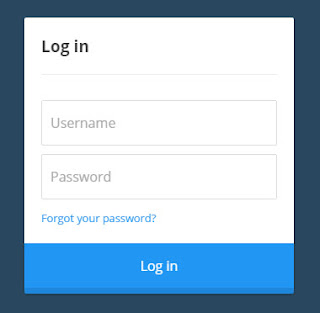
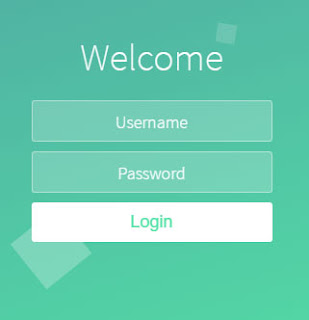
Well, below fostrap collect 5 templates free login page is ready you use. Please select and download the one you like. You are free to use them on your project. Click the picture for details and downloads.

1. Calm Breeze Login Screen

A pen by Lewi Hussey
free html login form code

2. Login Form Dark Blue

A pen by Miro Karilahti
free login form templates css

3. Flat Login Form

A pen by Andi Tran
free download login form html css

4. Login To Everdwell

A pen by Kaushalya Mandaliya
login form css templates free download

5. Animated Login Form

A pen by Mohamed Boudra
free html code for login form

Wednesday, February 24, 2016

Pengertian CSS Selector


CSS atau Cascading Style Sheets "merupakan sebuah mekanisme sederhana yang digunakan untuk menambahkan style / corak seperti font, warna, jarak/spasi kedalam document website".
Sumber : https://www.w3.org/Style/CSS/
Seperti kutipan diatas, inti dari fungsi css yaitu untuk mempermak dokumen HTML agar jadi sedemikian rupa atau istilah sekarangnya supaya tidak kelihatan jadul :). Untuk memilah atau menyeleksi tag HTML disebut selector, terdapat beberapa pattern / teknik yang digunakan dalam selector css, nah disini saya lampirkan beberapa teknik yang ada untuk menyeleksi tag html. Oke langsung saja ke tkp..

1. UNIVERSAL SELECTOR
Yang pertama yaitu universal selector, yaitu cara menyeleksi document tag html secara menyeluruh dari parent induk yang ditentukan dengan tanda bintang *.

Contoh :

div *{
  color : #555;
}

Cara membaca dari syntax css contoh diatas yaitu "mencari semua element atau tag div dalam document html dan mengisikan nya dengan property color dengan value #555". Universal selector juga sering digunakan untuk mereset style bawaan dari browser atau yang dikenal CSS Reset, yang dimana setiap masing-masing browser mempunyai style bawaan nya sendiri yang umumnya menambah margin dan padding sebesar beberapa pixel tertentu, dengan CSS Reset ini kita dapat merubah style default / bawaan dari tiap browser.

2. TYPE / ELEMENT SELECTOR
Type / element selector digunakan untuk memberi style pada dokumen html berdasarkan tag / element tertentu misalnya h1, p, em, strong.

Contoh :

h1{
  color : #5f5f5f;
  font-style: italic;
}

Tidak jauh berbeda dengan yang sebelumnya, cara yang kedua ini lebih sering digunakan dengan menunjuk langsung tag html nya.

3. CLASS SELECTOR
 Menyeleksi element tag dalam html dengan menggunakan tanda titik.

Contoh :

CSS
.Menu ul li{
  display : inline;
  color : #1abc9c;
  margin: 10px;
}

HTML
  <div class="Menu">
    <ul>
      <li>Beranda</li>
      <li>Profil</li>
      <li>Kontak</li>
      <li>Tentang</li>
    </ul>
  </div>

3. ID SELECTOR
Sama dengan sebelum nya hanya saja id selector mencari element tag html dalam sebuah grup yang ditandai dengan hastag # dalam css dan penamaan nya dengan id dalam html document.

Contoh :

CSS
#Menu ul li{
  display : inline;
  color : #1abc9c;
  margin: 10px;
}

HTML
  <div id="Menu">
    <ul>
      <li>Beranda</li>
      <li>Profil</li>
      <li>Kontak</li>
      <li>Tentang</li>
    </ul>
  </div>

4. CHILD SELECTOR
 Child selector yaitu menyeleksi tag html dari turunan langsung parent nya.

Contoh :

CSS
ul.anak > ul li{
  color: red;
  font-style: italic;
}

HTML
   <ul class="anak">
      <li>Kopi</li>
      <ul>
        <li>Dingin</li>
        <li>Panas</li>
       </ul>
      <li>Teh</li>
      <li>Susu</li>
   </ul>

Pada Syntax CSS cara membacanya yaitu "menyeleksi seluruh tag ul  li dari class anak pada tag ul". Contoh diatas akan menghasilkan warna merah dan cetak miring dari list item kopi langsung kepada anak nya yaitu list item panas dan dingin.

5. ATTRIBUTE SELECTOR
Selector yang berikut ini tingkatan nya cukup advance tapi bukan tidak sering dipakai. Selector ini sering digunakan menyeleksi button maupun input form .

Contoh :

CSS
input[type=text]{
  background-color: #ccc;
}

HTML
 <input type="text" name="name">

Pada Syntax CSS cara membacanya attribute selector diatas yaitu "menyeleksi type text pada inputan".

Demikian mengenai jenis-jenis selector dalam CSS, untuk jenis-jenis selector masih sangat banyak, dan beberapa contoh yang saya jelaskan diatas merupakan yang sering dipakai, untuk referensi lengkap bisa lihat di www.w3schools.com atau www.w3.org.  Bila ada hal yang ingin ditanyakan silahkan tinggalkan pesan dikolom komentar dan apabila ada kesalahan dalam penulisan mohon perbaikannya. Sekian dan semoga bermanfaat.
Thursday, February 11, 2016

Creative CSS Button Style Tutorial

css button style
Web design is highly developed so fast, I can't imagine what else will come in 2017, in 2016 is very much the trend of web design that is very popular with its beauty, namely minimalist web design, minimalist web design includes layout, button, navbar, sidebar, colors, typography and more. Many are comfortable with minimalist web design because web design minimalist, very unsightly by eyes, and because of the minimalist design is very simple and not too complicated, minimalist web design is often referred to as the style of material design and flat design. This is Creative CSS Button Style Tutorial by Fostrap

Creative CSS Button Style

1. Primary Button

HTML
<a href="#" class="action-button shadow animate blue">Submit</a>
CSS
.animate
{
transition: all 0.1s;
-webkit-transition: all 0.1s;
}
.action-button
{
position: relative;
padding: 10px 40px;
        margin: 0px 10px 10px 0px;
border-radius: 3px;
font-family: 'Lato', sans-serif;
font-size: 18px;
color: #FFF;
text-decoration: none; }
.blue
{
background-color: #3498db;
border-bottom: 5px solid #2980B9;
text-shadow: 0px -2px #2980B9;
}
.action-button:active
{
transform: translate(0px,5px);
  -webkit-transform: translate(0px,5px);
border-bottom: 1px solid;
}
Demo : Submit

2. Danger Button

HTML
<a href="#" class="action-button shadow animate red">Submit</a>
CSS
.animate
{
transition: all 0.1s;
-webkit-transition: all 0.1s;
}
.action-button
{
position: relative;
padding: 10px 40px;
        margin: 0px 10px 10px 0px;
border-radius: 3px;
font-family: 'Lato', sans-serif;
font-size: 18px;
color: #FFF;
text-decoration: none; }
.red
{
background-color: #e74c3c;
border-bottom: 5px solid #c0392b;
text-shadow: 0px -2px #c0392b;
}
.action-button:active
{
transform: translate(0px,5px);
  -webkit-transform: translate(0px,5px);
border-bottom: 1px solid;
}
Demo : Submit

3. Success Button

HTML
<a href="#" class="action-button shadow animate green">Submit</a>
CSS
.animate
{
transition: all 0.1s;
-webkit-transition: all 0.1s;
}
.action-button
{
position: relative;
padding: 10px 40px;
        margin: 0px 10px 10px 0px;
border-radius: 3px;
font-family: 'Lato', sans-serif;
font-size: 18px;
color: #FFF;
text-decoration: none; }
.green
{
background-color: #2ecc71;
border-bottom: 5px solid #27ae60;
text-shadow: 0px -2px #27ae60;
}
.action-button:active
{
transform: translate(0px,5px);
  -webkit-transform: translate(0px,5px);
border-bottom: 1px solid;
}
Demo : Submit

4. Warning Button

HTML
<a href="#" class="action-button shadow animate yellow">Submit</a>
CSS
.animate
{
transition: all 0.1s;
-webkit-transition: all 0.1s;
}
.action-button
{
position: relative;
padding: 10px 40px;
        margin: 0px 10px 10px 0px;
border-radius: 3px;
font-family: 'Lato', sans-serif;
font-size: 18px;
color: #FFF;
text-decoration: none; }
.yellow
{
background-color: #f1c40f;
border-bottom: 5px solid #f39c12;
text-shadow: 0px -2px #f39c12;
}
.action-button:active
{
transform: translate(0px,5px);
  -webkit-transform: translate(0px,5px);
border-bottom: 1px solid;
}
Demo : Submit